Sending a message to everyone
Administrators can send a text or audio message to everyone connected to their room, or to the whole world: to announce the start of a conference, a fire drill, the end of the day…
Only users with the admin tag can send them. To broadcast your camera and microphone live instead, use the megaphone.
Opening the window
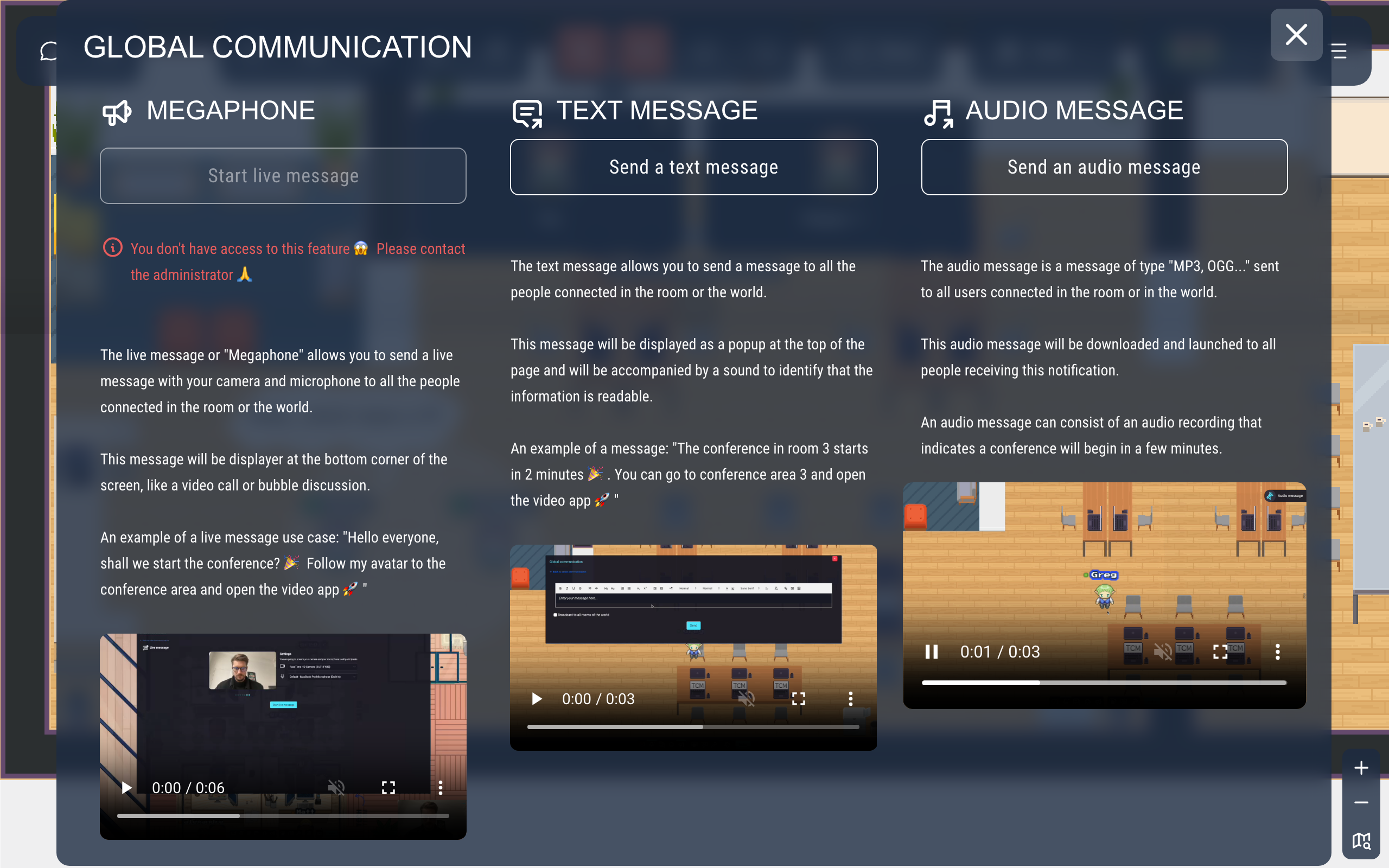
Click Tools in the action bar, then Send global message. The Global communication window offers three choices: Start live message (the megaphone, available only if it is enabled for the map and you are allowed to use it), Send a text message and Send an audio message.
Sending a text message
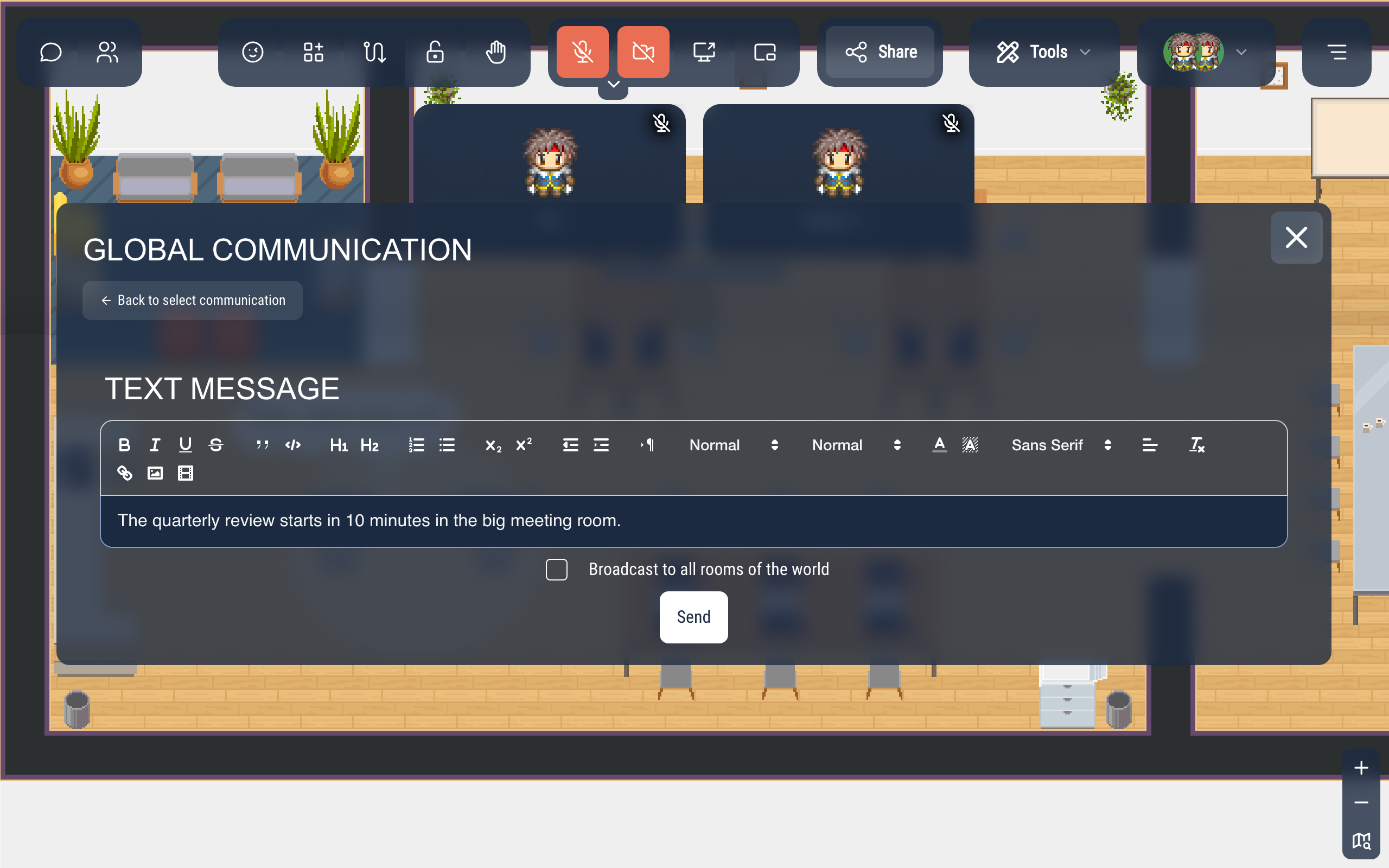
- Click Send a text message.
- Write your message. The toolbar formats the text (bold, lists, colors, links, images…).
- Tick Broadcast to all rooms of the world to send it to every room of your world, not only the one you are in.
- Click Send.
Everyone connected to the room (or to the world) sees the message at the top of the screen, with a short sound. They close it with the cross or Escape.

Sending an audio message
- Click Send an audio message.
- Click the upload area and choose an audio file (MP3, OGG…), or drag the file onto it.
- Tick Broadcast to all rooms of the world if needed, then click Send.
The sound plays right away for everyone connected to the room (or to the world). A small Audio message panel appears at the top right; its pause button mutes the sound, and the message stops if you don't resume it within 5 seconds.
Good to know
- Only the people connected at that moment receive the message: it is not kept.
- You also receive your own message.